


Locket Widget
4.64.43K Reviews
App Specs
- Version
- 1.242.1
- Updated On
- License
- Free
- Downloads
- 10,000,000+
- Developer
- Locket Labs, Inc.
- Categories
- Social
- Platform
- Android, iOS
Screenshots
 Analysis by AppCompare
I’d decide whether Locket Widget is right for me by asking one simple question: do I want to see small, personal photo updates from a few people on my home screen, or do I mainly want a place for conversations and a large collection of images? Locket is built around the first habit. That focus gives it a more intimate feel than a typical social feed, but it also means it won’t replace messaging or photo-sharing services for everyone.
Start with the kind of connection you want
If I’m choosing a social app for a close circle, I look at how much effort it takes to share something and how much attention it asks for in return. Locket’s appeal is that a photo can be a small gesture rather than the start of a long exchange. It suits friends, partners, or family members who enjoy seeing ordinary moments without needing to comment on every one.
That’s a different rhythm from group chats, where photos can quickly get buried beneath replies, links, and other messages. It’s also different from a public-facing social network, where posting may feel like performing for a broad audience. Here, the home-screen placement makes the shared moment feel close and immediate. I’d still choose a chat app when I need a detailed conversation, and a conventional photo library when I want to sort or revisit a large archive.
Where the small-circle approach works best
A realistic use case is a family member who lives away from home sharing a quick photo of breakfast, a walk, or a newly planted flower. The recipient doesn’t have to open a feed or search through a conversation to see it; the image is there as part of the phone’s home screen. It’s a gentle way to keep a familiar presence in the day, especially when calls are hard to coordinate.
I can also see it working for friends who want to exchange snapshots but don’t want every moment turned into a polished post. A picture of a messy desk before an exam or a pet asleep in an awkward position can be enough. The trade-off is that the value depends on the people in your circle actually sending pictures. If only one person uses it, the widget can feel more like a one-way display than a shared ritual.
Useful habits before you invite people
I’d start with a small group rather than inviting everyone I know. That makes it easier to see whether the app fits naturally into the relationships where casual photo sharing already feels welcome. It also avoids turning a personal space into another crowded social channel. Before sending, I’d think about whether the photo is comfortable to have appear on someone’s home screen, where it may be seen during ordinary phone use.
Another practical point is to agree on expectations. Some people enjoy frequent little updates; others only share occasionally. Neither approach is wrong, but a mismatch can make one person feel ignored and another feel pressured. Locket works best when the group treats it as a low-pressure exchange, not as a test of who cares enough to post. If you want a record of an important plan or a long discussion, move that to a chat instead of expecting a photo widget to do the job.
Worth Reading Before You Choose

EA SPORTS FC Mobile 26 Is a Bigger Football Game, but It Takes Time

Flipboard Shows What News Apps Must Do Beyond the Feed

Switching to Android Auto Means Rethinking Your Driving Routine

Google Calendar Makes a Crowded Week Easier to Manage

Ludo King Makes the Most of the Minutes Between Plans

Baby Panda World Brings Quick Play to Modern Phones, but Its Game Library Feels Busy
What is Locket Widget?
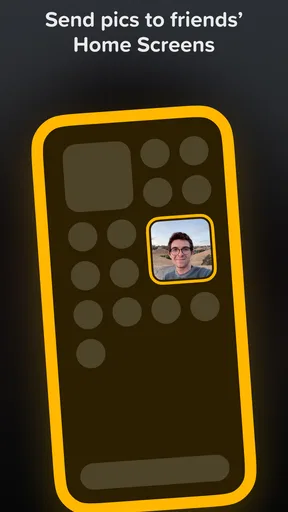
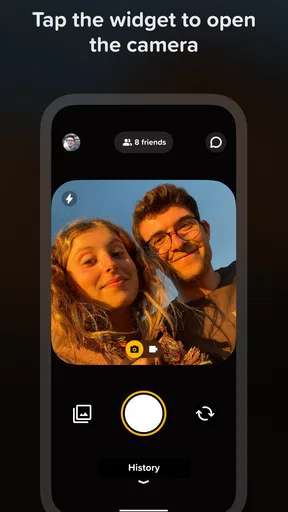
So, what exactly is this Locket Widget? Well, imagine having a digital locket that keeps you connected with your loved ones. It's a simple yet ingenious concept: you can send photos directly to your friends' or family's home screens, and they can do the same for you. It’s like having a little piece of each other right on your phone.
Setting Up and Getting Started
Getting started with Locket Widget is a breeze. First off, you download it from the App Store or Google Play, depending on your device. Once installed, you’ll need to grant the usual permissions for contacts and photos. Don’t worry, it’s all straightforward stuff.
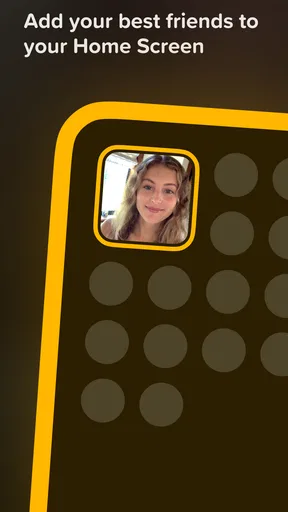
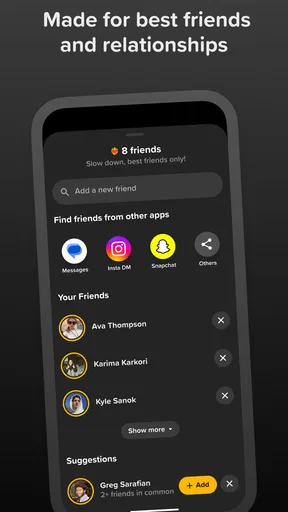
After the initial setup, the app prompts you to add a widget to your home screen. This is where the magic happens. You choose whom you want to share your locket with, and voilà, you're all set.
Sharing Moments in Real-Time
The real fun begins when you start snapping and sharing photos. The app allows you to send a picture directly to your friends' widgets. Imagine your best friend waking up to a picture of your dog doing something hilariously cute. It’s these little moments that really make a difference.
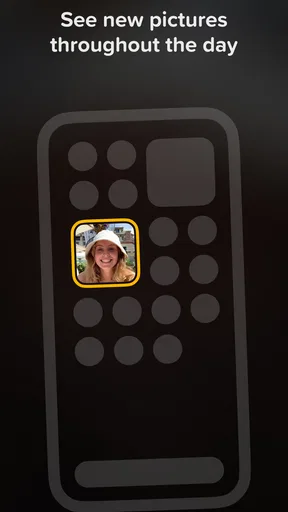
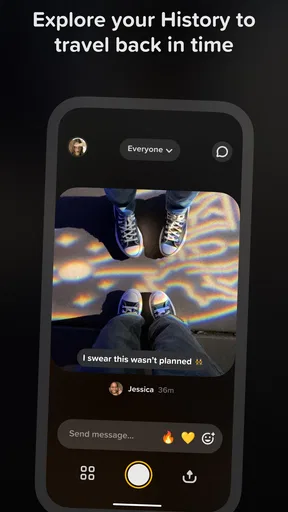
The cool part? It happens in real-time. The moment you send a picture, it pops up on your friend's home screen. No more digging through endless chat threads to find that one memorable photo. It's instant joy delivered right to your phone.
Customization and Personalization
Of course, personalization is key. Locket Widget lets you customize the widget's appearance to match your style. You can choose from different frames and layouts, making each locket feel unique. It’s a small touch, but it adds to the charm.
Staying Connected, Effortlessly
One of the things I love about the app is how effortlessly it keeps you connected. It’s not about lengthy conversations or constant notifications. Instead, it’s about sharing those snippets of life that make relationships special. Whether it’s a sunset, a new outfit, or just a silly face, it’s the perfect way to say “I’m thinking of you” without saying anything at all.
Making Room for It on Your Phone
The home screen is a shared space with other priorities, so I’d give the widget a deliberate spot instead of adding it impulsively. That makes it easier to decide whether seeing these pictures throughout the day feels comforting or distracting. If you keep your phone’s first screen focused on work, navigation, or calendar tools, placing Locket elsewhere may preserve that routine while still giving the photos a home.
I’d also treat the widget as a window onto selected moments, not as a dependable way to catch every update at the exact second it is sent. Home-screen widgets are part of the operating system’s display, and their refresh behavior can vary by device and settings. The useful expectation is that Locket makes sharing feel more immediate than a buried chat thread, not that it functions like a live video call or a guaranteed alert.
When a different social tool is a better fit
For people who want public discovery, broad communities, or a stream of posts from many accounts, a conventional social network is a better match. For ongoing conversations, plans, and replies that need context, messaging apps remain more practical. And if the main goal is preserving, organizing, or editing photos, a gallery or cloud photo service is the more natural tool. Locket’s strength is narrower: it makes a few chosen relationships visible in a small, recurring way.
That narrowness is also its main limitation. If your friends are not interested in adding a home-screen widget, there is little reason to keep checking the app. It may also feel too exposed for someone who prefers to keep personal images away from the screen they use in public or at work. I’d skip it if I wanted a private archive, a detailed conversation history, or a social experience built around a large audience.
Who should try it, and who should pass
I’d recommend trying it with one or two people who already exchange casual photos and are comfortable with the home-screen format. It may be especially appealing to relatives across different time zones, close friends with busy schedules, or couples who like small daily reminders of each other. Since the app is free to download, trying the basic routine doesn’t require committing to a paid subscription up front; it does offer in-app purchases priced from $1.99 to $35.99 per item, so I’d check what an optional purchase includes before spending.
On the other hand, someone who dislikes widgets, wants every social interaction to stay inside a message thread, or feels uneasy about photos appearing on a home screen should choose another approach. The app is rated Teen, so I’d also consider whether its style and sharing setup make sense for the people in the group, rather than assuming it suits every age or household automatically.
Switching without making it another obligation
Moving from a chat-based habit doesn’t mean abandoning chats. I’d keep messaging for anything that needs a reply, explanation, or coordination, and reserve Locket for pictures that can stand on their own. That division prevents duplicate sharing and makes the widget feel like a small extra connection instead of another inbox to maintain.
If the group stops using it, removing the widget or returning to the old routine is simple in principle: the app should earn its place through actual enjoyment, not guilt. I’d give the shared habit a little time to settle, then ask whether it adds warmth or merely adds another thing to check. That’s a more useful measure than how often the app is opened.
A few things to consider
While Locket Widget is fantastic, there are a couple of things to keep in mind. Since it's widget-based, it might drain your battery a bit faster than usual. Also, if you’re someone who prefers keeping your home screen clutter-free, this might not be your cup of tea. But honestly, the pros far outweigh the cons in my book.
How it fits as an app today
Locket Widget is a free social app from Locket Labs, Inc., and it has built a substantial audience, with more than ten million installs and an average rating of 4.6 from around 364,000 ratings. It was released on April 15, 2022, and version 1.227.1 is the current version. Those figures suggest plenty of people have tried it, but they don’t tell me whether my own circle will use it; the group’s willingness to share is still the deciding factor.
For a practical decision, I’d check that the phone meets the minimum operating-system requirement of version 8.1, then set up the widget and invite only the people I genuinely want to see there. The app’s simplicity is a strength, but it also means the experience depends more on the social habit than on endless features. If a small photo exchange sounds meaningful to you, that’s a good reason to try it. If it sounds like one more feed demanding attention, you can safely stick with the tools you already use.
Final Thoughts
All in all, Locket Widget is a delightful way to keep those you care about close, even when they're far away. It’s simple, it’s fun, and it adds a personal touch to your daily life. If you’re looking for a way to share snippets of your world with friends and family, give it a shot. Trust me, it’s like having a little piece of home right there on your phone. Go ahead, download it, and start sharing the love!
Pros
- Easy to set up and use daily.
- Real-time photo sharing feature.
- No ads to interrupt experience.
- Lightweight
- doesn't drain battery.
- Encourages spontaneous moments.
Cons
- Limited to a few friends.
- No editing tools for photos.
- Requires constant internet access.
- Minimal customization options.
- Photos can't be saved directly.
FAQs for Locket Widget
What is Locket Widget and how does it work?
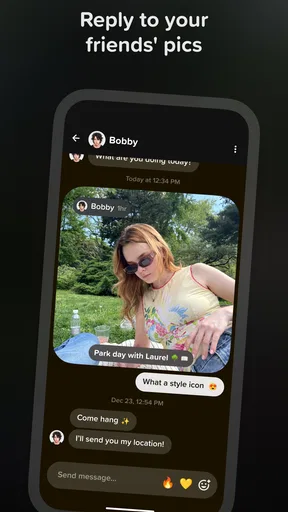
Locket Widget is a social app that allows you to share live photos directly to the home screens of your friends and family. Once you add the widget, any photo you take using the app will instantly appear on the widgets of those you've connected with. It's a fun and spontaneous way to stay connected with loved ones.
Is Locket Widget available for both Android and iOS devices?
Yes, Locket Widget is available for both Android and iOS platforms. You can download it from the Google Play Store for Android devices and the Apple App Store for iOS devices. Ensure your device meets the minimum operating system requirements for optimal performance.
Does Locket Widget require an internet connection to function?
Yes, Locket Widget requires an internet connection to send and receive photos. The app relies on real-time data transfer to instantly update the images on the widgets of connected users. A stable Wi-Fi or mobile data connection is recommended for seamless operation.
How does Locket Widget ensure user privacy and security?
Locket Widget takes privacy seriously by allowing you to control who can see your photos. Only the people you choose to connect with will receive your images. The app also employs encryption to safeguard your data, ensuring that your shared moments remain private and secure.
Are there any in-app purchases or advertisements in Locket Widget?
Locket Widget is free to download and use, but it may offer in-app purchases for additional features or enhanced functionality. While the app aims to provide an ad-free experience, it's always a good idea to check the latest user reviews and app updates for any changes in monetization strategies.


